Tool #1
CoreLab
A training simulator of a mobile core network to understand, operate and troubleshoot a virtualized LTE and 5G network — with no risk to a live network.
What you will find
Interactive topology
From the handset to the core: radio, EPC, 5GC, virtualized functions, infrastructure.
Simulated terminal
kubectl, openstack, virsh, tcpdump, grep… with outputs consistent from one command to the next.
Wireshark simulator
Capture and filter S1AP, Diameter, GTP, NGAP, PFCP to follow a procedure step by step.
Incident scenarios
Diagnose a failure, apply the fix, verify the resolution.
Exercises and quizzes
Every concept is practised then checked, with detailed answers.
English and French
All content is available in both languages.
CoreLab in pictures
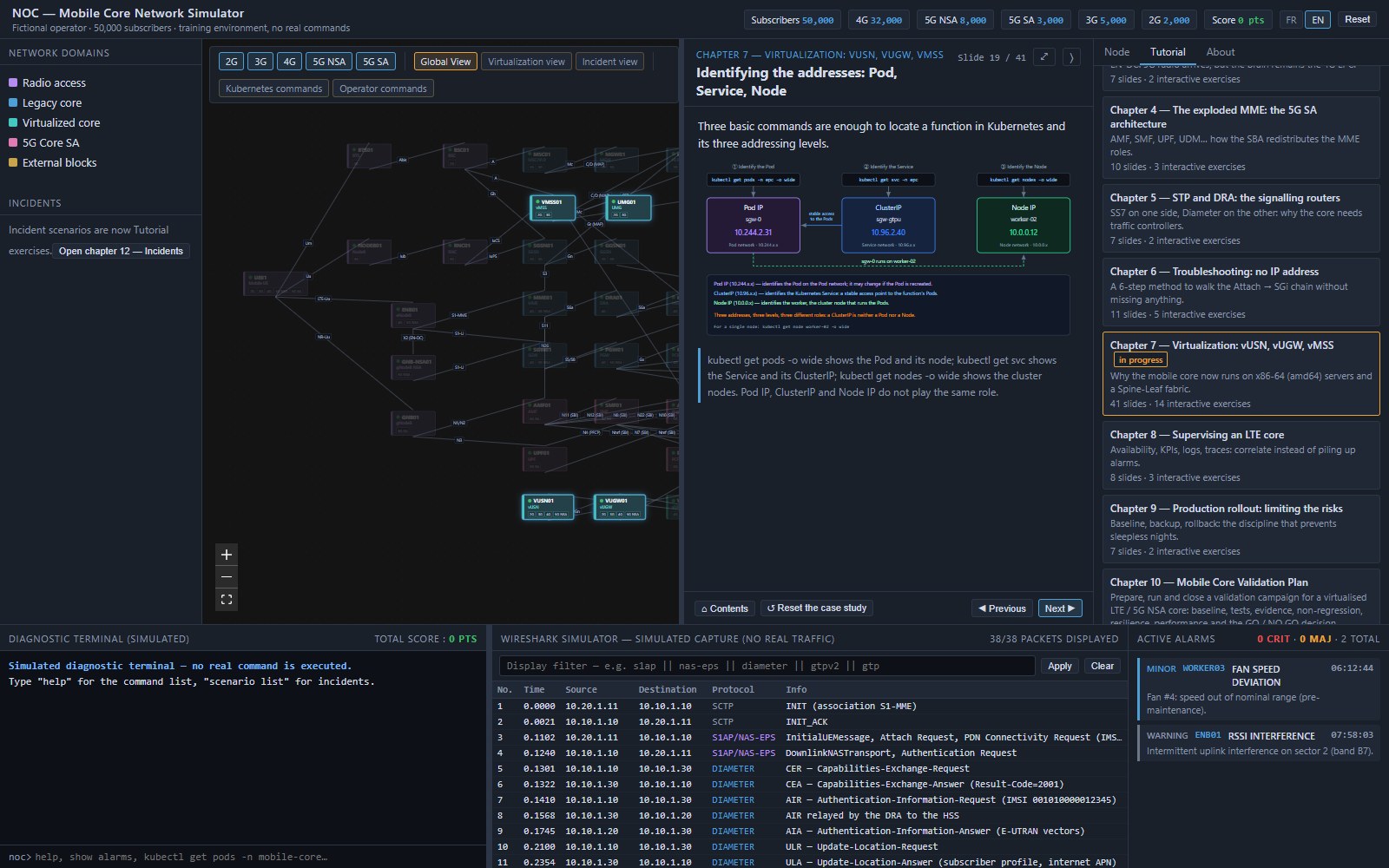
1. Follow the tutorial
Open the “Tutorial” tab, pick a chapter and scroll through the slides with “Previous / Next”: concepts, diagrams, exercises and corrected quizzes.
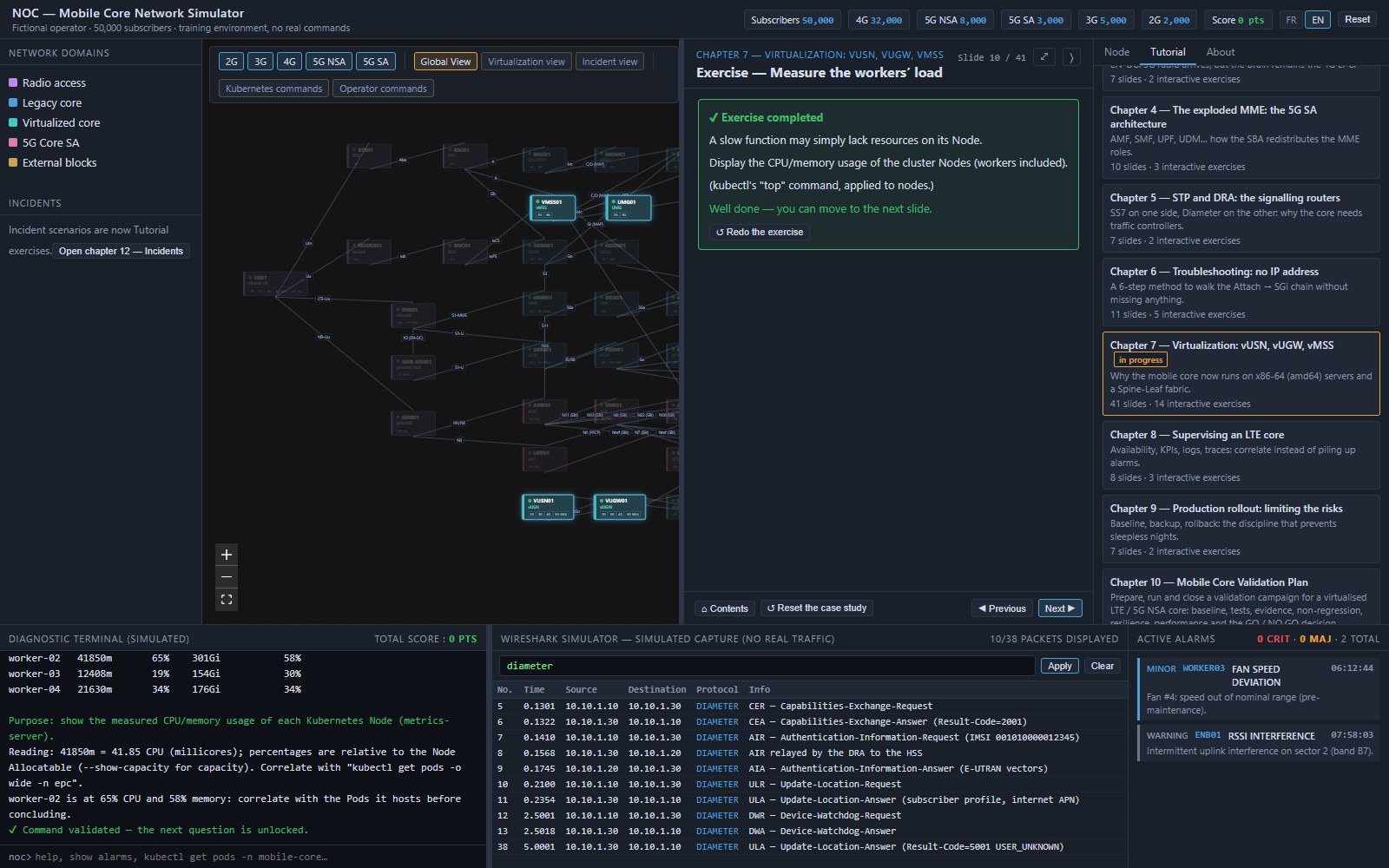
2. Answer in the command windows
Exercises are solved in the two dedicated windows: the diagnostic terminal (kubectl, openstack, virsh, tcpdump…) and the Wireshark simulator (display filters). Answers are checked automatically.
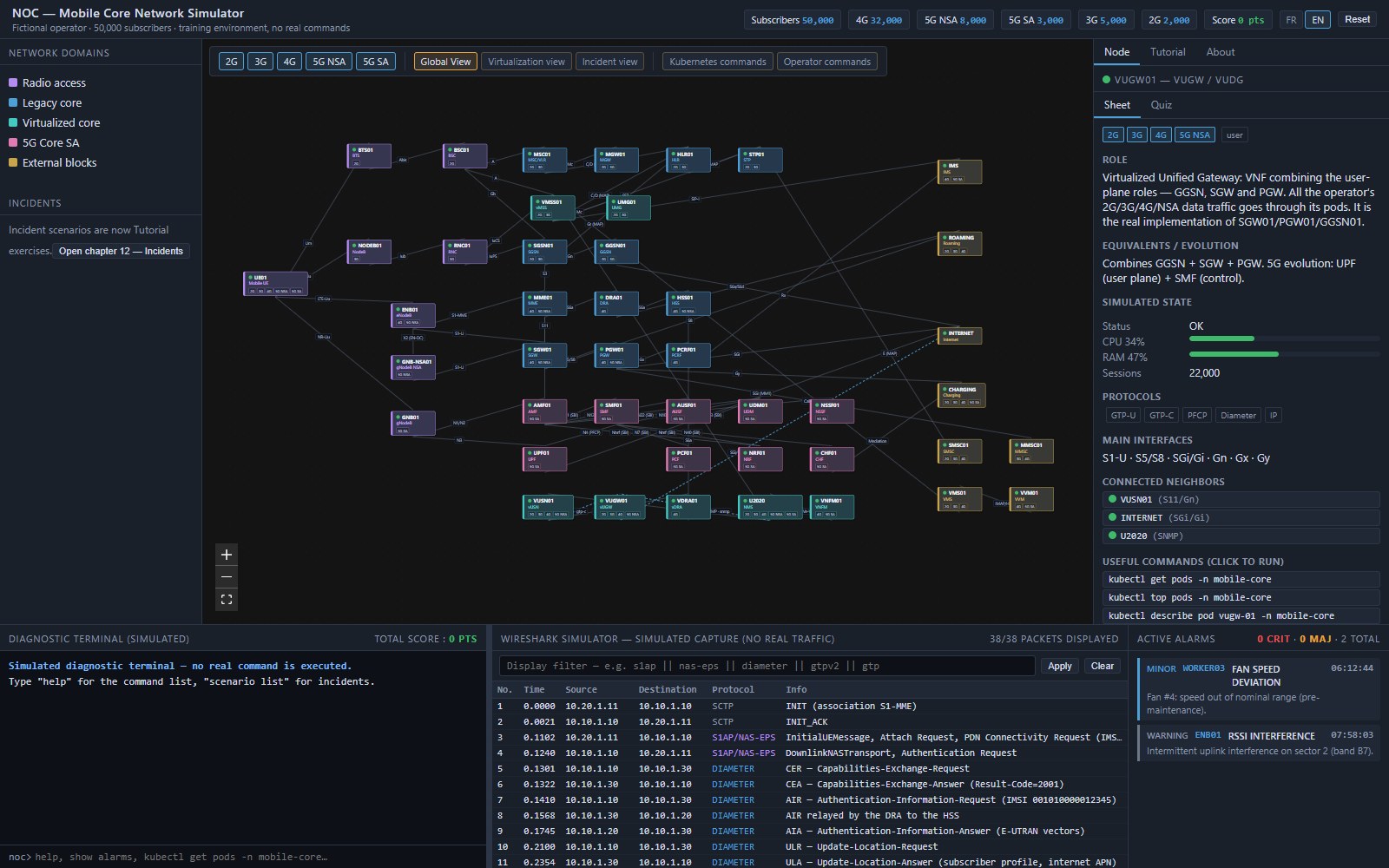
3. Explore the interactive node view
In the architecture view, click a node: the right-hand column shows its role, simulated state (CPU, RAM, sessions), protocols, interfaces, neighbours and useful commands.
Topics covered
- LTE data session: MME, SGW, PGW, HSS
- LTE, 5G NSA and 5G SA
- Signalling: STP, DRA, Diameter
- Troubleshooting method
- Virtualization: VNF (OpenStack/KVM) and CNF (Kubernetes)
- Monitoring, KPIs and alarms
- Rollout and validation plan
- Operations: configuration, QoS, MEC, incidents, network slicing
Try CoreLab?
Access uses your email address: you receive a one-time code, no password to create.